Inkscape for MAC
Free, open-source vector graphics editor for illustrations, logos, icons and diagrams.
Inkscape Overview
Inkscape is a free, open-source vector graphics editor for Mac, Windows and Linux. It is used for illustrations, logos, icons, diagrams, maps, web graphics and print layouts, and it is the best-known free alternative to Adobe Illustrator. Inkscape uses SVG, the open web standard for vector graphics, as its own format, so your drawings stay sharp at any size and work directly on websites. It is made by the Inkscape Project and its volunteers and released under the GPL license, with no ads or paid features.
On the Mac there are separate downloads for Apple Silicon and Intel Macs. Inkscape suits beginners making their first logo as well as designers preparing files for print or laser cutting.
Key Features
Inkscape has the drawing, editing and export tools of a professional vector editor.
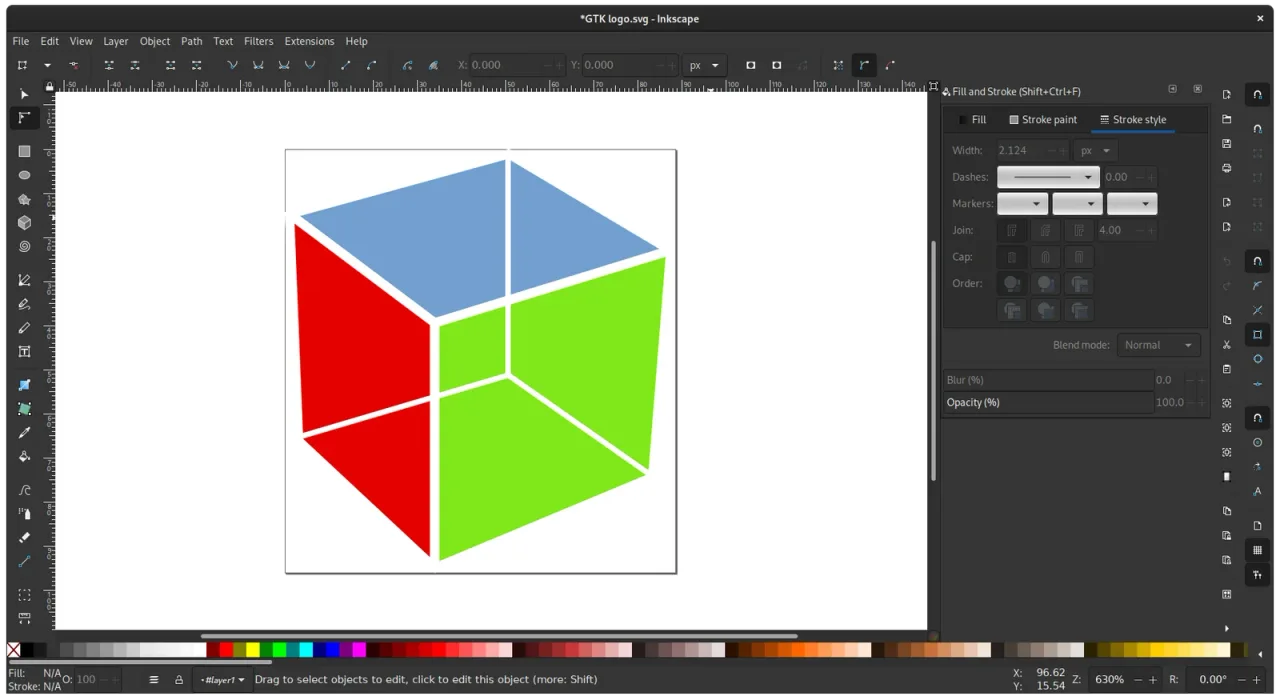
- Drawing tools: rectangles, circles, stars, polygons and spirals, plus the Pen, Pencil and Calligraphy tools for freehand and precise drawing.
- Node editing: change any path point by point, with smooth, corner and symmetric nodes.
- Shape Builder: combine and cut shapes by clicking and dragging over them.
- Path operations and effects: union, difference, intersection and live path effects such as patterns along a path, offsets and corners.
- Text: text on a path, text in a shape, and full font control, with a quick font browser.
- Multipage documents: several pages in one file, useful for business cards, brochures and print sets.
- Filters and fills: a Filter Gallery with previews, gradients, patterns and swatch palettes.
- Trace Bitmap: turn a photo or scanned drawing into vector paths.
- Import and export: SVG, PNG, PDF, EPS and more, including PDF-based Adobe Illustrator files, with extensions for many other formats.
What’s New in Version 1.4.4
Inkscape 1.4.4 is a maintenance and bug-fix release.
- 20 crash fixes, including three where Inkscape would not start
- Almost 20 other bug fixes and 6 performance improvements
- A new color palette
- A new button that turns stars and polygons back to an upright position
- Can convert files saved in the coming Inkscape 1.5 page format to the current format
- 27 updated interface translations
- Known Mac issue: extensions do not work when Inkscape is started from the command line
Inkscape FAQ
Is Inkscape free for Mac?
Yes. Inkscape is free and open source, released under the GPL license. There are no ads or paid features.
Does Inkscape run on Apple Silicon Macs?
Yes. Inkscape has separate Mac downloads for Apple Silicon (arm64) and for Intel Macs, so it runs natively on both.
Is Inkscape a good free alternative to Adobe Illustrator?
Yes, for most vector work. Inkscape has drawing tools, node editing, path operations, text, multipage documents and PDF export. Its native format is SVG, the open standard for vector graphics.
Can Inkscape open Adobe Illustrator files?
Inkscape can open Illustrator files saved with PDF compatibility, which is the default in Illustrator, and it can import PDF and EPS files.
Can I turn a picture into a vector with Inkscape?
Yes. Select the image and choose Path, then Trace Bitmap. Inkscape turns the picture into vector paths that you can edit and resize without losing quality.
Can I use Inkscape for laser cutting and Cricut designs?
Yes. Inkscape draws precise vector paths and saves them as SVG, PDF or DXF files, which cutting machines and laser cutters can use.
Why do extensions not work in Inkscape on my Mac?
This happens when Inkscape is started from the command line. It is a known issue caused by a security fix added in version 1.4.3. Start Inkscape from Finder or the Dock and extensions work normally.
Is Inkscape safe to install on a Mac?
Yes, when you download it from the official website, inkscape.org, which is where the download button on this page leads. Inkscape is open source and its official Mac installers include security fixes.
How do I update Inkscape on my Mac?
Download the latest version for your Mac from inkscape.org and replace the old copy in your Applications folder. Your preferences are kept.
Where does the Inkscape download on inkscape.FULLMAC.app come from?
The download button leads to Inkscape's official download page at https://inkscape.org/release/. inkscape.FULLMAC.app does not change or repackage the installer.
Similar Apps
 Preview3MFPreview3MF is a free, open-source Quick Look extension for .3mf files, the 3D Manufacturing Format used by 3D-printing slicers. Select a .3mf file in Finder, press Space and you get a real 3D preview of the model, rendered with lighting, shading and materials, which you can orbit and zoom with a mouse or trackpad. It also adds proper Finder thumbnails for .3mf files, reusing the slicer's embedded preview image when there is one and rendering the model itself when there is not. You do not need to open Bambu Studio, PrusaSlicer or OrcaSlicer just to see what a file contains.Graphic Design
 ItsPaintItsPaint is a small paint and markup app for the Mac, built around a simple job: take or paste a screenshot, number the steps, point at things and drag the finished image into a bug report or a document. Its developer sums it up as MS Paint for the Mac. It marks up images with numbered step badges, arrows and callouts, a highlighter, pixelation and a spotlight that dims everything outside a box, and it paints too, with thirteen tools including pencil, brush, eraser, clone, fill and Instant Alpha selection.Graphic Design
 BirdfontBirdfont is a font editor for Mac that lets you create vector graphics and export them as TTF, OTF and SVG fonts. It supports both monochrome and color font formats, so it suits ordinary typefaces as well as color fonts. Its release notes describe a dedicated ligature tab, spacing classes, anchor glyphs, a color wheel, and the option to import another font and merge it with the one you are working on.Graphic Design
 Wings 3DWings 3D is an advanced subdivision modeler that aims to be both powerful and easy to use. It was inspired by Nendo and Mirai from Izware, and offers a wide range of modeling tools, a customizable interface, support for lights and materials, and a built-in AutoUV mapping facility. It concentrates on modeling: Wings 3D has no support for animation. Its import and export plugins cover formats such as OBJ, 3DS, PLY, glTF and Collada.Graphic Design
 SeashoreSeashore is an easy-to-use image editor for macOS with support for layers. Its developer describes it as a light GIMP or Photoshop, with most of the features non-professionals need to create images. It has brushes, a pencil, an eraser, clone and smudge tools, gradients, a fill bucket, a text tool, cropping and several selection tools, plus effects such as blur, bloom and crystallize.Graphic Design
 ScribusScribus is a free, open-source desktop publishing program for page layout and print production. You build documents with master pages, guides and bleed areas, place images and text in frames, and export the result as a PDF that a commercial printer can use. Reliable PDF creation has been central to the project from the start: Scribus was the first desktop publishing program to support the demanding PDF/X-3 specification, and it can also export PDF/X-1a:2001 and PDF/X-4, along with PDF presentations and forms for the screen. Color is the other strength, with RGB, CMYK, LAB/HLC, spectral and spot colors, color management that leaves you in control, and an emulator that shows how a design looks to people with color vision deficiencies.Graphic Design
FULLMAC.app does not host this app. Download buttons lead to the developer’s own pages.